WordPress Account Widget
Last updated 01/24/2026
The Account Widget allows you to add a Profile button to any or all pages:

When clicked, it expands to show the user’s profile information, and provides an option to sign out of your site:
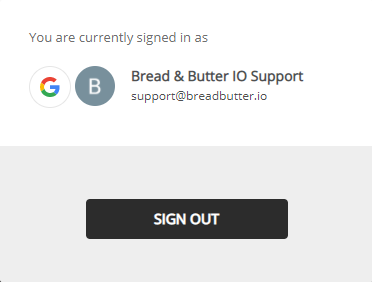
This tool appears for signed in and signed out users. In the signed out state, it will launch the instant lead capture tool when clicked.
You can add this tool by following these steps:
Step 1
In the left menu in WordPress Admin, click on Bread & Butter.
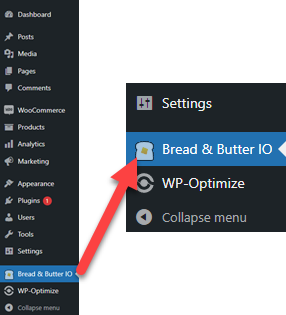
Step 2
In the left menu, expand More Tools and select Account widget.
Step 3
Select Enable for all pages, then click Save. You can also adjust where the Account widget appears on your page, using the position settings.
Step 4
Optional: You can also turn on the Account widget on some or all pages from the page specific settings:
- Go to the page you want the Account widget to appear on.
- Click the Bread & Butter logo at the top right, or click on the Options button and select Bread & Butter under Plugins.
- Under Account Widget, you can enable the tool and configure its position.
- Publish the page. Repeat the above steps for any other pages.
Don’t use Bread & Butter? Want to learn more about how Bread & Butter solves the four biggest problems facing marketers today? Book a demo and see how Bread & Butter is helping marketers make the most of their first-party data


Seeing changes in your match rates? With the end of third-party cookies & new regulations on how data can be shared (GDPR, CCPA or Data Protection Laws), what are you doing to make sure you aren’t caught out?
FUTURE PROOF YOUR DATA - LEARN MOREAdd authentication & API event tracking to your website/app with a script tag & configuration