Webflow Account Widget
Last updated 01/25/2026
Before adding the Account widget, make sure you have added the initialization script tag.
The Account widget allows you to add a Profile button to any or all pages:

When clicked, it expands to show the user’s profile information, and provides an option to sign out of your site:
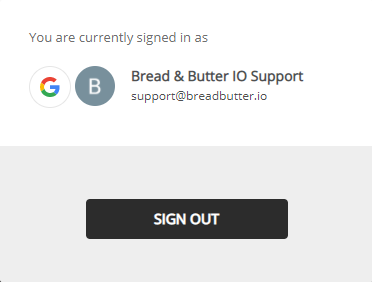
This tool appears for signed in and signed out users. In the signed out state, it will launch the instant lead capture tool when clicked.
Step 1
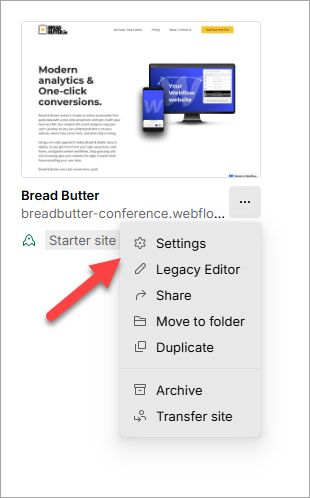
- On your Webflow Dashboard, click on the 3 dots at the bottom right of your project.
- Then, select Settings.
Step 2
Select the Custom Code from the left menu.

Step 3
In the Head Code field, paste in the following script tag after the Bread & Butter initialization script tag. You may need to adjust the position parameters:
<script>
null == window.breadbutterQueue && (window.breadbutterQueue = []), window.injectBreadButter = function (e) { "undefined" != typeof BreadButter && BreadButter.init ? e() : window.breadbutterQueue.push(e) };
injectBreadButter(function () {
    BreadButter.ui.profileWidget({
    continue_with_position: {
        top: '20px',
        right: '20px',
    }
});
});
</script>
Note: If you have other Bread & Butter feature snippets, just add this snippet below them.

Step 4
- Click Save Changes.
- Publish your website, when ready.