WordPress Plugin Conversions Install Guide
Last updated 01/13/2026
Step 1
If you have not done so already, complete the Analytics Setup Guide.
Step 2
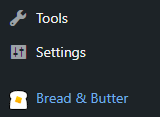
- In the left menu in WordPress, click on Bread & Butter.
Step 3
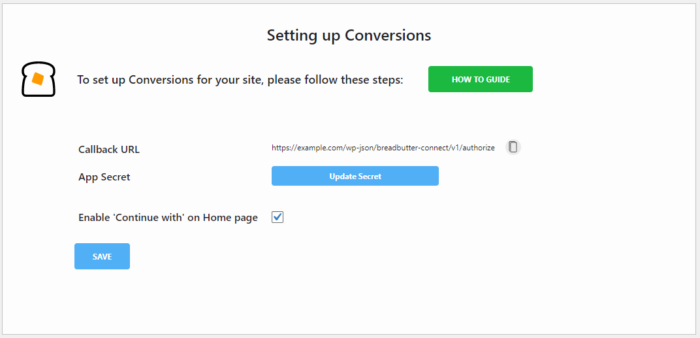
- Go to the Advanced Settings page in the left menu, then scroll down to Setting up Conversions and copy the Callback URL.
Step 4
- Return to Bread & Butter and go to the Settings page in the left menu.
- Expand Advanced Settings.
- Set Enable Callback URL to ON.
- Paste the Callback URL into the Callback URL field and then click outside the box to save.

Step 5
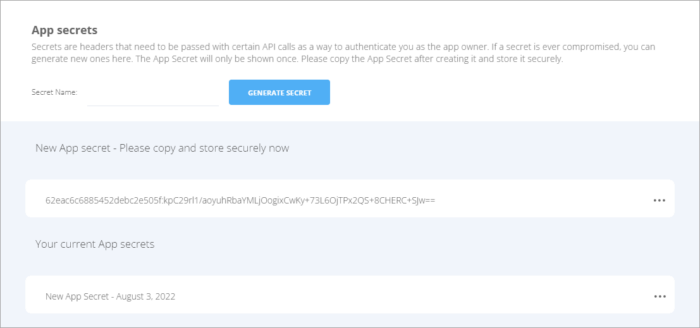
- Scroll down to App Secrets, click Generate Secret, and copy your App Secret.
Step 6
- Return to Setting up Conversions in WordPress.
- Click Update Secret.
- Paste in your App Secret.
- Check Enable 'Continue with' on Home page.
- Click Save.
Step 7
Return to your Website's login page. You should now see the Continue with widget load.
If you do not see your enabled providers or sign in options, please contact Bread & Butter Support.
For more information on all of the available features, check out our Bread & Butter WordPress plugin tools.