Account widget
Last updated 01/26/2026
Before adding Bread & Butter’s Account widget, make sure you have added the initialization script tag.
The Account widget allows you to add a Profile button to any or all pages:

When clicked, it expands to show the user’s profile information, and provides an option to sign out of your site:
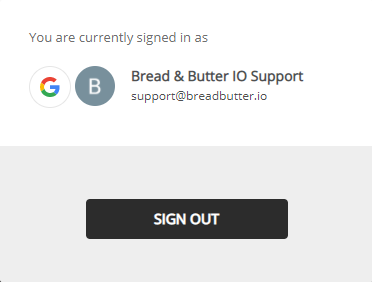
This tool appears for signed in and signed out users. In the signed out state, it will launch the instant lead capture tool when clicked. To add this tool to all pages, please follow these steps:
Step 1
Find the initialization script you have added to your webpage (see initialization script if you have not added it already)
Step 2
In the initialization script, find the line:
BreadButter.configure();
Step 3
Add the following line under BreadButter.configure();
<script>
null == window.breadbutterQueue && (window.breadbutterQueue = []), window.injectBreadButter = function (e) { "undefined" != typeof BreadButter && BreadButter.init ? e() : window.breadbutterQueue.push(e) };
injectBreadButter(function () {
    BreadButter.ui.profileWidget({
    continue_with_position: {
        top: '20px',
        right: '20px',
    }
});
});
</script>
The continue_with_position parameter is used for positioning the Subscriber Profile tool. It accepts a top property and a right property for the offset from the top and right edge of the viewport respectively. Accepts 10, '10px' and '10%' for positioning..